New to WunderTrading? Register with this link to get 10% off.
The prerequisites are that you have a strategy script, have the source code, and are familiar with basic code editing. You should also have a free WunderTrading account connected to your exchange.
The scope is to automate your Pine Script strategy, which enters a position and closes it with exit orders as they appear in TradingView.
We will choose the Signal Bot “form settings”, which is a convenient approach. As a user, you will be able to configure the parameters from both the Signal Bot interface and your strategy settings in TradingView.
Basic edits
1. At the very top of your script, locate the Pine Script version and paste below the following highlighted line.
It will pre-fill the alert message field and specify that the content comes from the code.
					//@version=6
//@strategy_alert_message {{strategy.order.alert_message}}
strategy("Automated strategy by sbtnc")
2. Copy below the whole block.
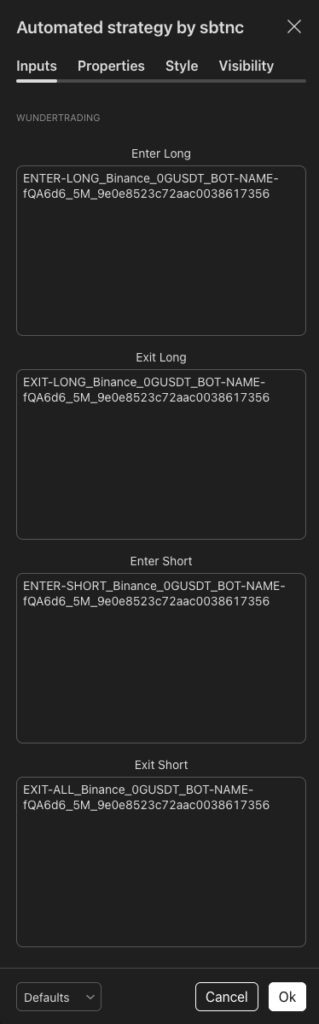
It will expose the inputs in the strategy settings necessary for filling the unique alert messages generated by WunderTrading.
					string group = "WunderTrading"

string enterLongMessageInput    = input.text_area(defval = "", title = "Enter Long",  group = group)
string exitLongMessageInput     = input.text_area(defval = "", title = "Exit Long",   group = group)
string enterShortMessageInput   = input.text_area(defval = "", title = "Enter Short", group = group)
string exitShortMessageInput    = input.text_area(defval = "", title = "Exit Short",  group = group)

// Other inputs...
3. Locate all your strategy.*() commands and add the relevant lines.
It specifies which alert message will fire when the order executes in TradingView.
					// Commands for longs

strategy.entry(
     // arguments...
     alert_message = enterLongMessageInput
     )

strategy.exit(
     // arguments...
     alert_message = exitLongMessageInput
     )

// Commands for shorts

strategy.entry(
     // arguments...
     alert_message = enterShortMessageInput
     )

strategy.exit(
     // arguments...
     alert_message = exitShortMessageInput
     )
4. Save your changes and add the strategy to your chart.
Bot creation
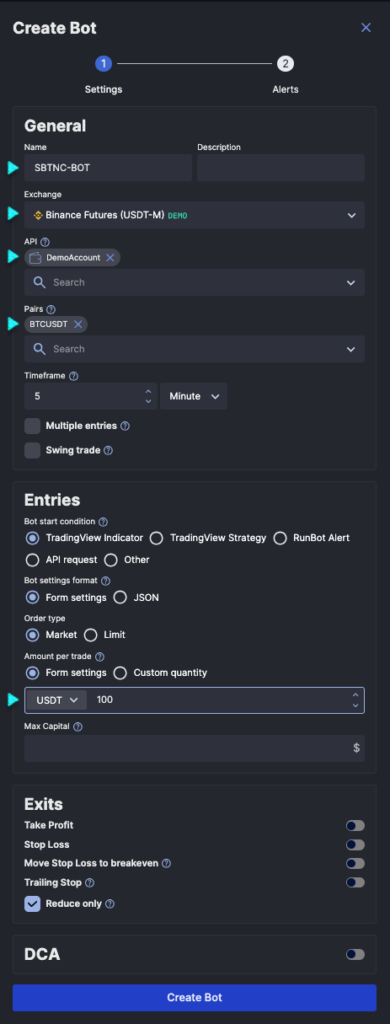
5. In WunderTrading’s portal, create a new bot in the “Signal Bot” tab.
Set the bot name, the exchange, API, Pairs, and the amount per trade.
Strategy settings
Alert creation
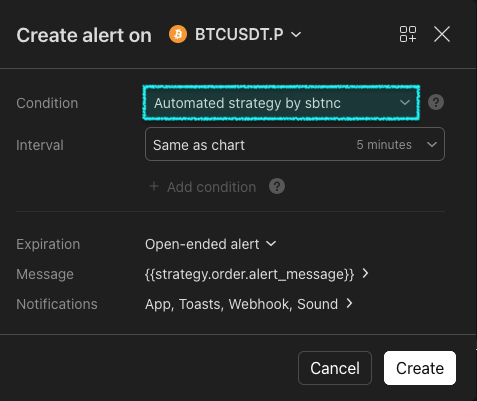
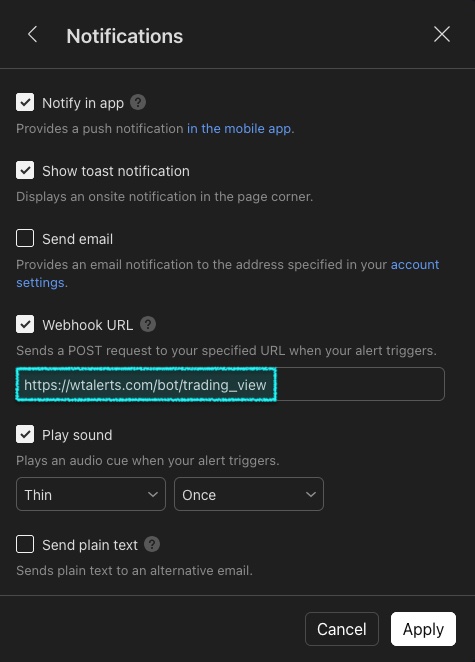
7. Create your alert. Select the strategy as the condition (order fill events) and fill in the webhook URL.
Every time you change the strategy settings, you should delete the alert and create a new one.